This bugs me like mad on Android. When I know the app is going to blast out, I have to let it before I can turn it down. I'm forever having to hop through menu after menu to turn the volume down.
My phone is permanently on vibrate (have young kids in the house and don't want to wake them), so changing the ringer is frustrating at most.
I'm not sure what solution they're looking for. A single universal volume control where if you turn up a video it means your ringer is now on full blast? 6 volume buttons on the side of your phone to adjust them each individually?
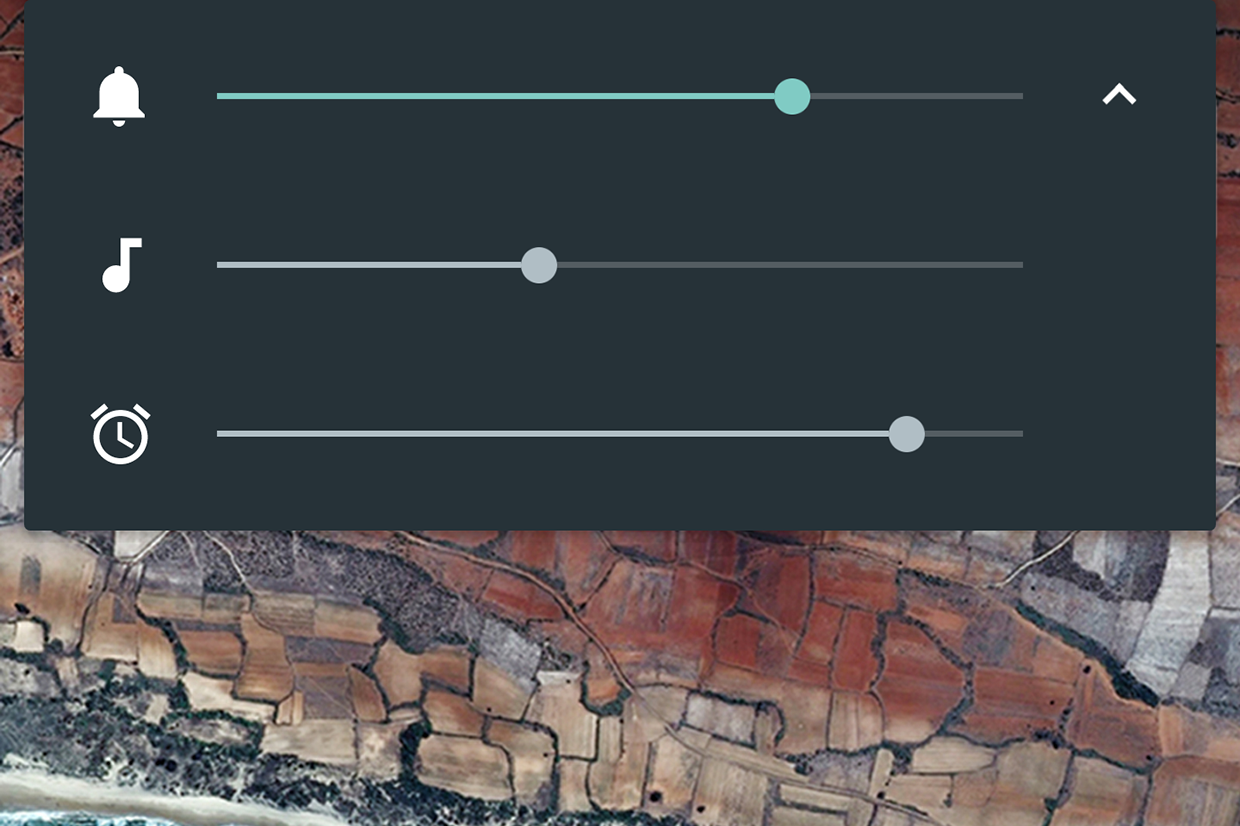
Android's system of adjusting media volume when media is playing and ringer volume when it isn't seems like a reasonably clean solution. It takes a single tap to expand to the three sliders.
Maybe a shortcut where where pressing volume up/down simultaneously mutes everything?
It's not that exotic, you've got a child or a sleeping partner or a boss in the same room and you want to watch a mostly visual video without any unnecessary jingles or other audio cues from disturbing them.
So you reduce the volume, but it only reduced the ringer for calls, which isn't what you want.
As the sibling answer says, newer Androids can do this. One click to display the volume, a touch to see the individual controls and then slide.
Press the volume once, the display has an options "cog" on the right, tapping that shows all the volumes on the device and you can set them to your heart's content.
If you're on a newer version of Android you can actually open up a three-slider volume control that has alert volume, media volume and alarm volume separately.
So, on Android, if you know it's going to blast out, you can't go into settings from the notifications shade and change the volume for Music, video, etc. to a reasonable level? I can on mine...
It just needs to be smarter about the context. If a video is loading in chrome, 90% of the time the intent is to turn down the volume of the video, it's broken that it waits for it to start playing.
Honestly, the most intuitive option for me would the audio controls should never touch the ringer, bury that behind a menu, rather than switching based on context.
How about having them not ever adjusting the ringer?
You can always adjust the ringer (something people rarely do -- for quite times there's the "silent" mode anyway) from the UI, and always use the volume buttons for the system's (music, video etc) audio volume.
It is even a bigger nightmare if you have chromecast streaming to a TV. Now you have another volume control (which chromecast usually takes priority in this situation). This have been the biggest usability issues I've had with Android.


My phone is permanently on vibrate (have young kids in the house and don't want to wake them), so changing the ringer is frustrating at most.